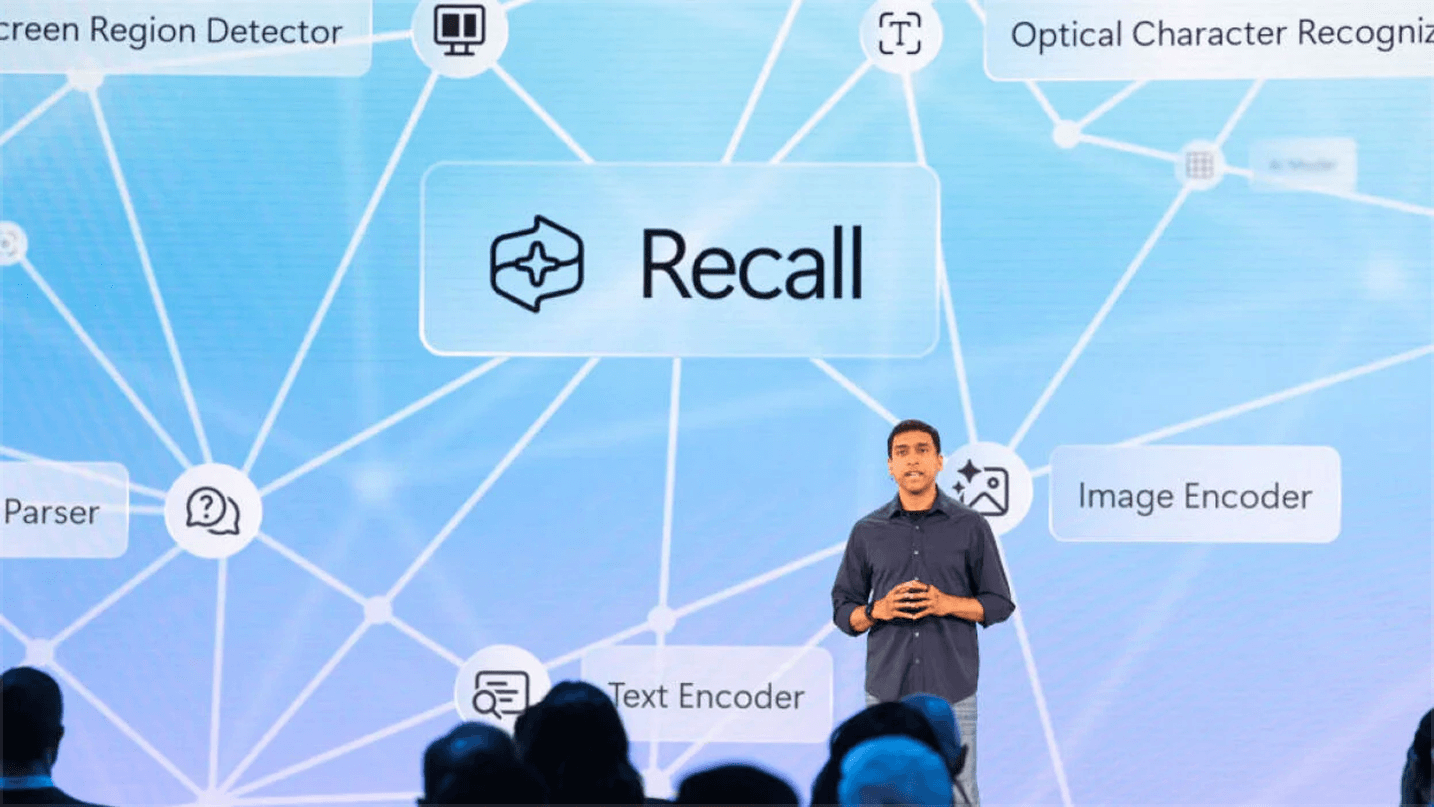
CASE FILE / RECALL
Designing semantic search for everything you’ve seen.
- ROLE
- Senior UX/Product Designer
- PLATFORM
- Windows 11 (Copilot+ PCs)
- TIMELINE
- 2023 – 2025
- TEAM
- Cross-functional team of design, research, and ML engineering
- MY FOCUS
- Semantic search experience: ranking, relevance, and trust
- STATUS
- Shipped at Build 2024; reshaped post-launch around privacy
Where was that thing I saw last week?
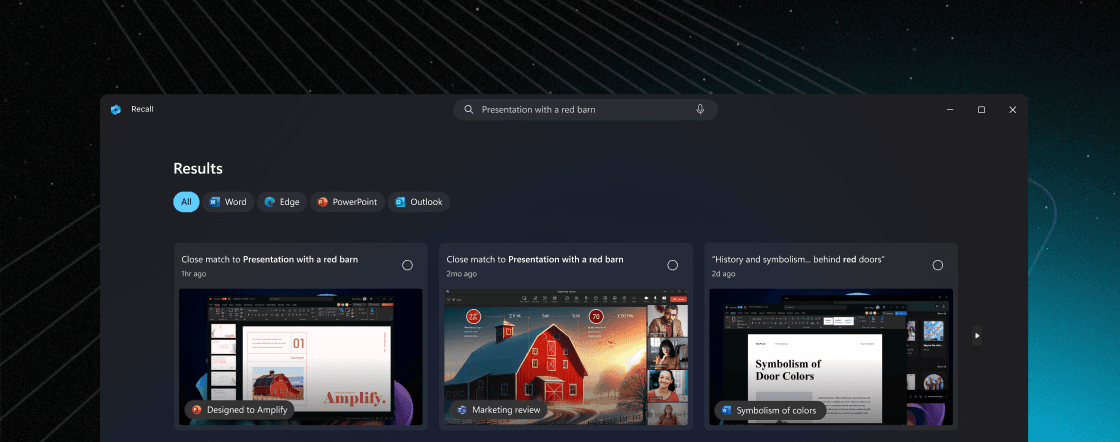
You'd seen a presentation, a snippet of code, or a reference in an email, but filenames and exact keywords could not retrieve a half-remembered moment. Recall aimed to make everything shown on screen searchable by meaning instead.
I led the semantic search experience: how people form queries, how results are ranked and displayed, and how relevance is explained. The technical system mattered, but the product only worked if people could understand and trust what it returned.

System
On demand intelligence
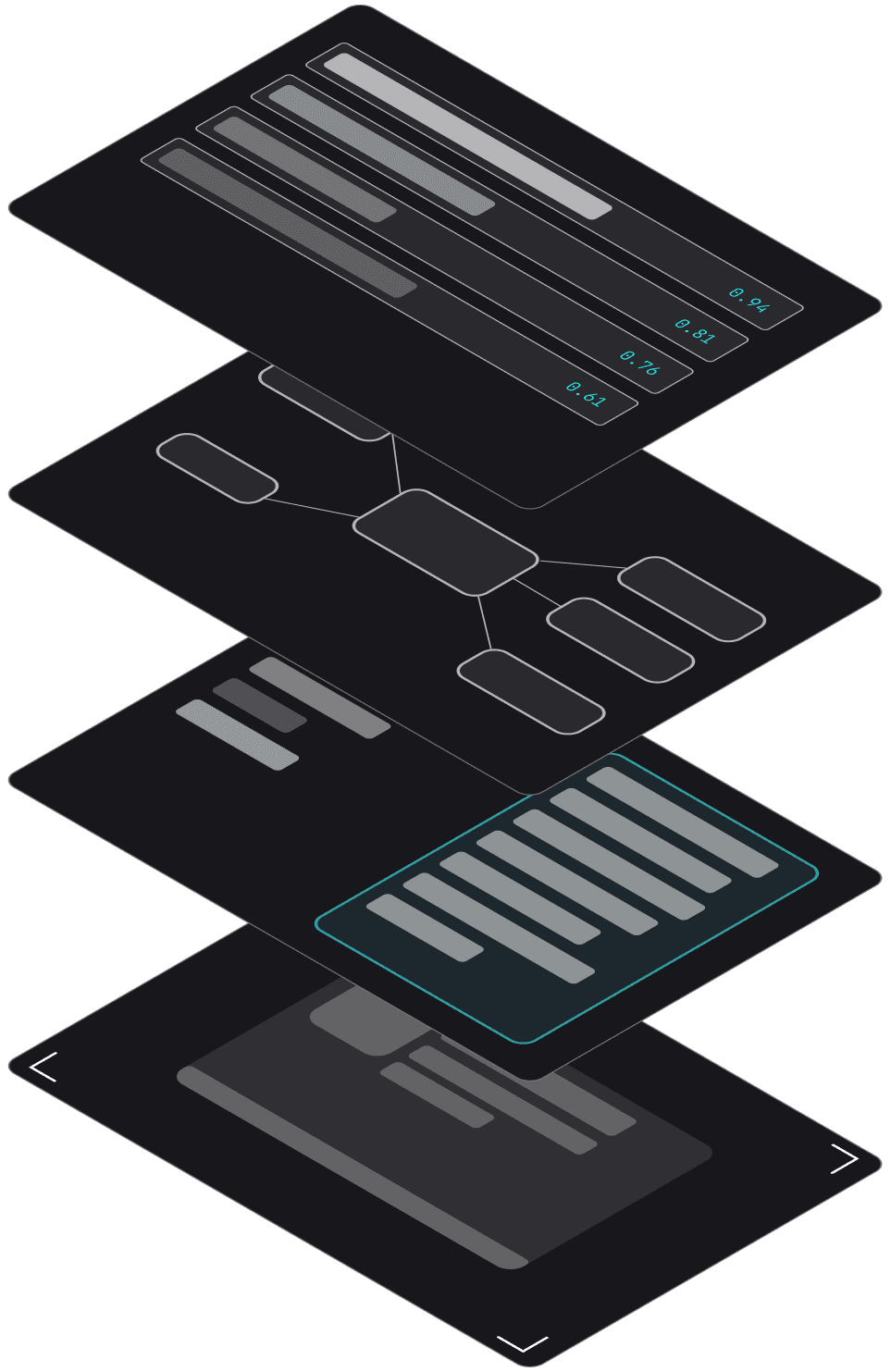
RECALL QUERY LIFECYCLE
04 · SEARCH & INDEX SERVICE
Stores enriched content in a semantic index and retrieves it by matching the meaning of a query against similarity scores, finding the right files even when the exact words don't match.
03 · MEANING ANALYSIS
Interprets raw extracted text by running meaning analysis to identify concepts and intent, then maps those concepts to semantic vectors for downstream understanding.
02 · OCR PROCESSING
Converts raw image input into structured text by straightening and denoising the image, identifying characters through optical recognition, and reconstructing the output into formatted, flowing text.
01 · SCREENSHOT CAPTURE
Continuously monitors and captures the screen at intervals, saving raw visual snapshots as the source material that enters the processing pipeline.
Search wants precision. Memory offers fragments.
File search is built on certainty. You give it a filename or keyword. It matches exactly. Done.
But that's not how memory works. You remember a chart, maybe the color was blue, maybe it was from an email or a browser. Nothing precise enough for traditional search to grab hold of.
Recall flipped this. Instead of requiring exact queries, it indexed everything the system could see and made it searchable through semantic understanding.
If you're indexing everything, how do you let people search without overwhelming them? The system needed to think like a person, not force people to think like the system.
Cards as moments, not documents
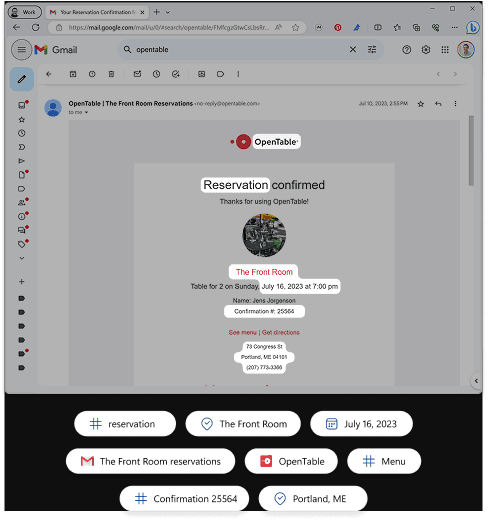
We built around the screenshot as the primary anchor. Not a cropped asset preview, but the actual desktop as it appeared. That context is what lodges in memory.
App name, timestamp, and extracted text stayed visible but secondary. The hierarchy shifted the result from “found document” to “revisited moment” while keeping the system predictable enough to search.
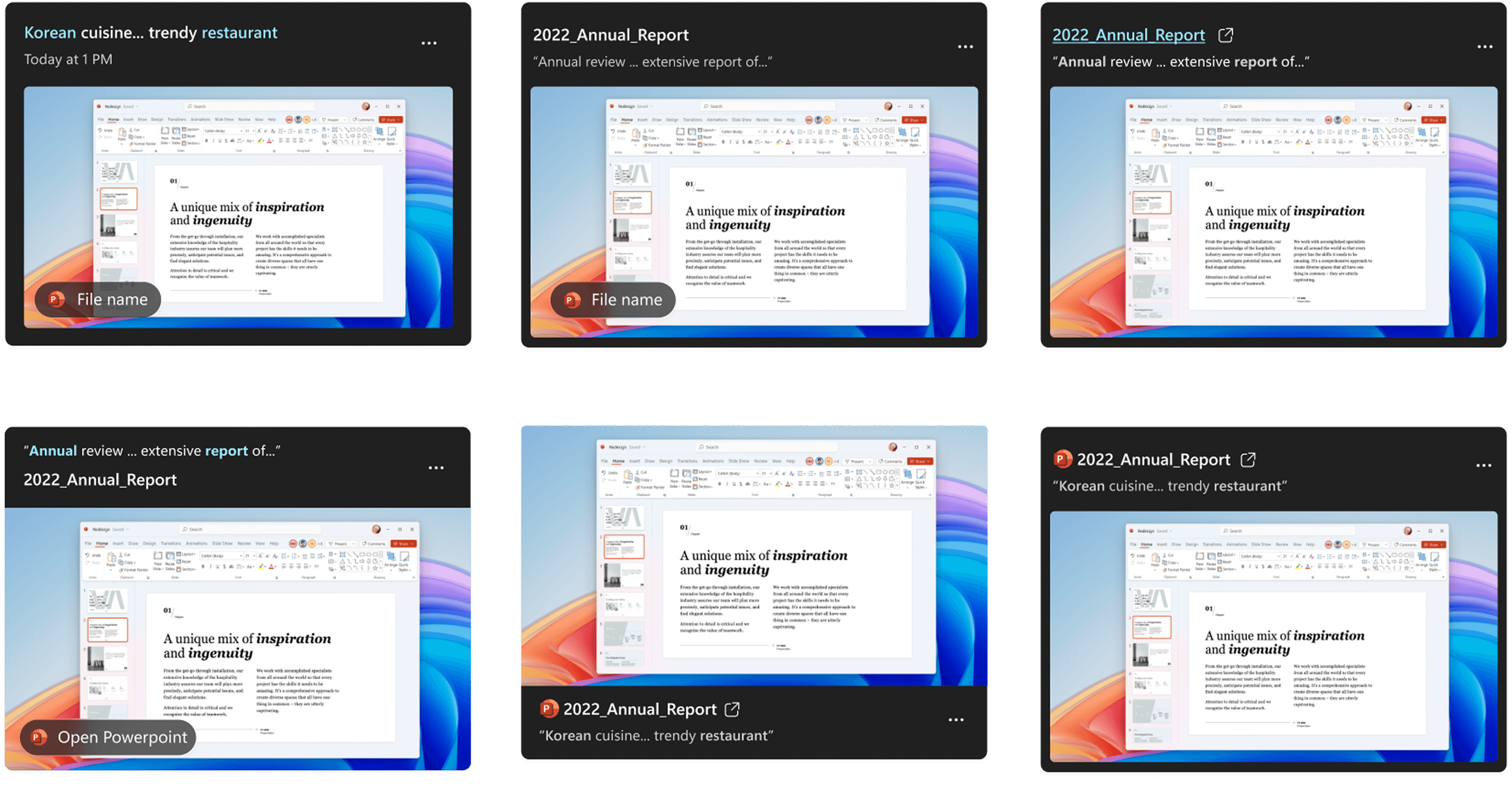
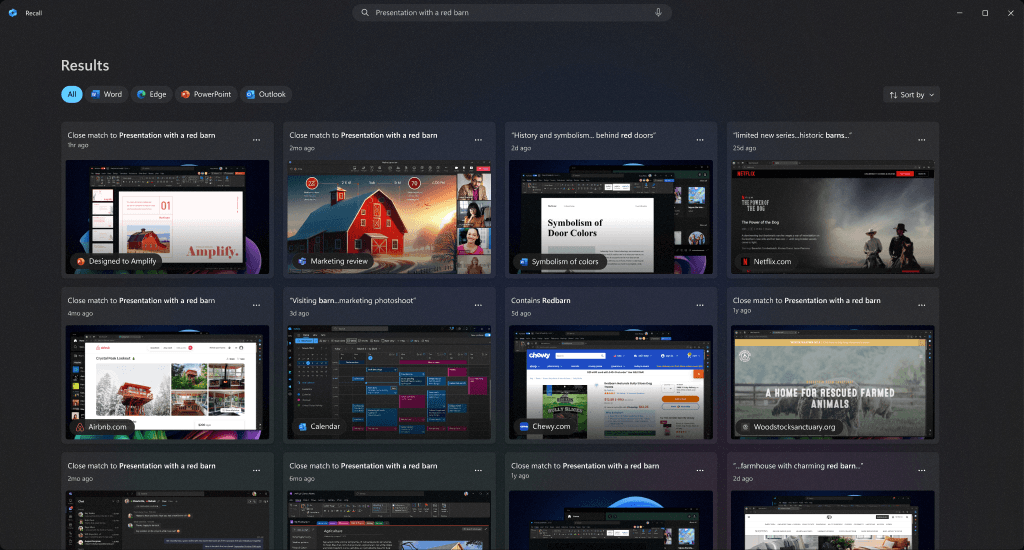
CARD HIERARCHY / SEPARATED RESULTS · SCREENSHOT AS MEMORY ANCHOR, METADATA AS PROVENANCE.
Testing showed that one merged ranking buried visual matches, so we separated text and visual results. Opaque correctness erodes trust faster than transparent mistakes.
AI-powered search has a trust problem
Technically correct results can still feel wrong. Rather than hide every false positive at the model layer, we made each result explain itself.
Cards labeled text and visual matches explicitly, then showed source app and time. Visible provenance let people judge relevance instead of asking them to trust an opaque score.
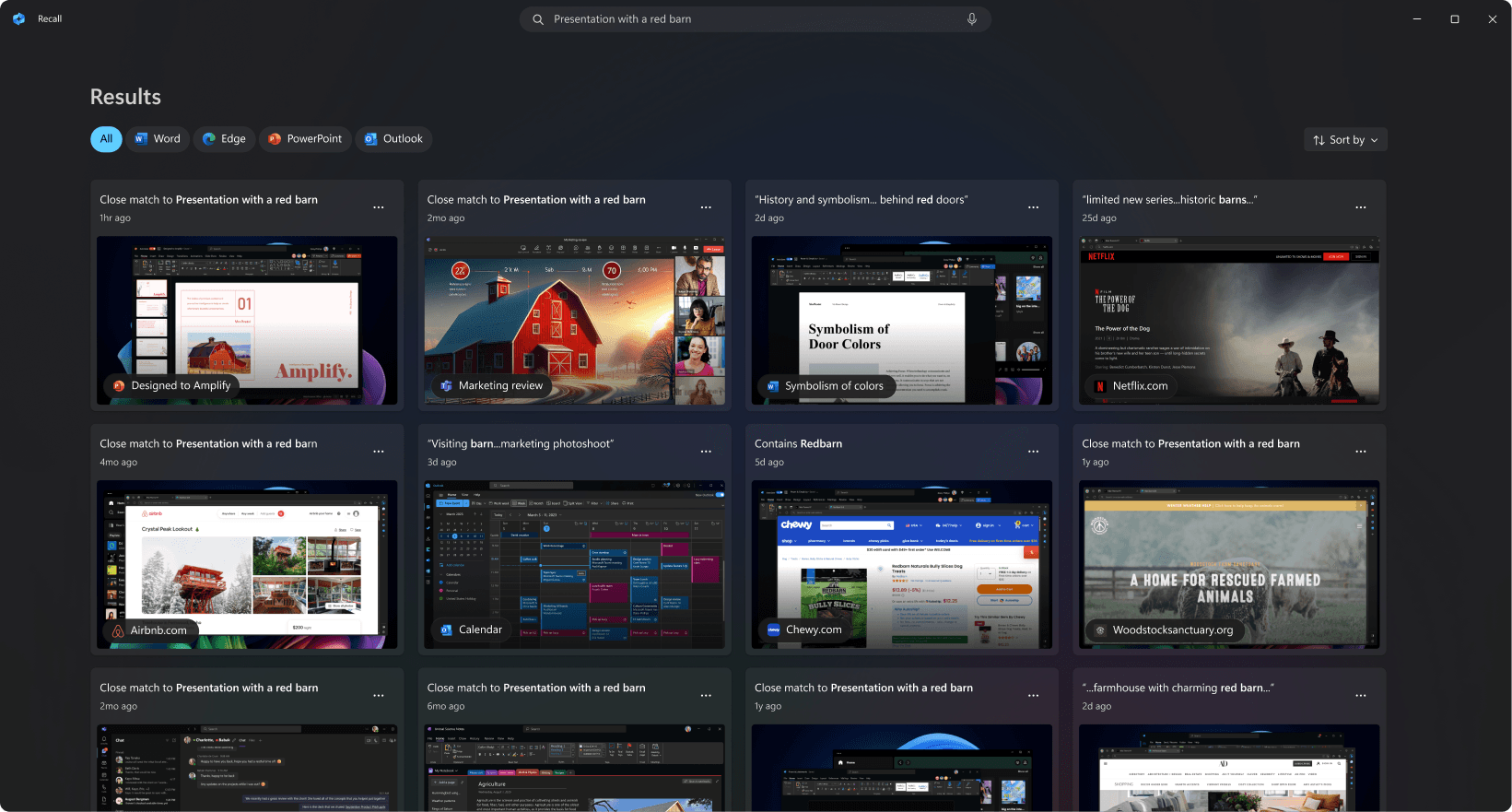
We made waiting feel like progress.
Fast enough to feel alive
Embedding indexing is computationally heavy, so we tuned retrigger cadence to refine results per keystroke without ever blocking the user.
PER KEYSTROKE
200MS WINDOW
NO BLOCKING WAIT
Trust
Privacy was the whole product
Recall only works if people trust where captured data sits and what control they retain. Capture, indexing, and retrieval stayed on-device.
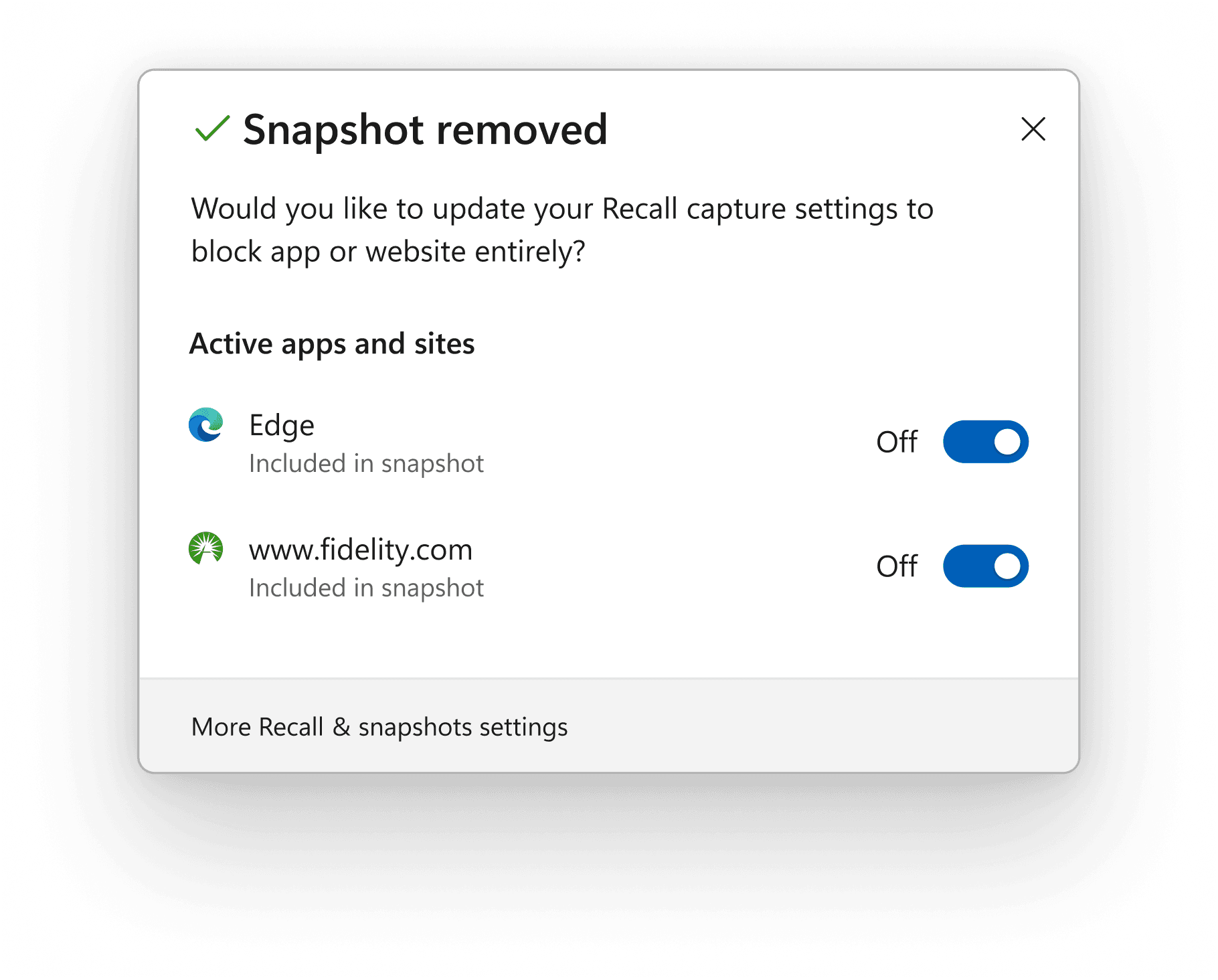
After public scrutiny, we moved from opt-out to opt-in, added per-app exclusion and pause controls, and made deletion boundaries explicit. I owned the information architecture for that privacy surface.
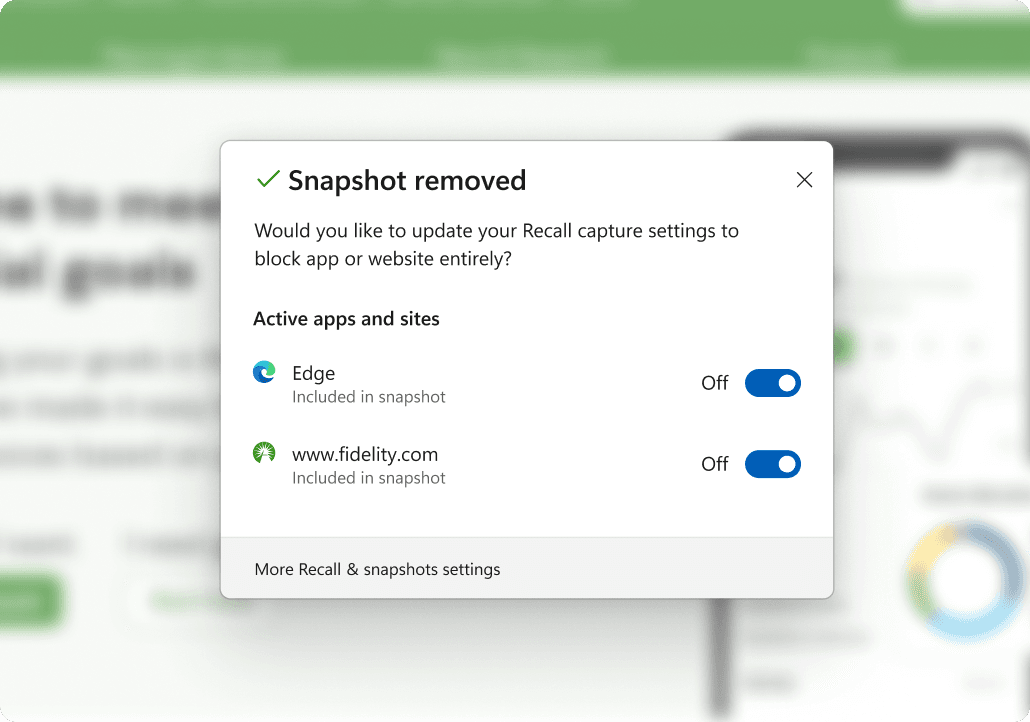
- DATA STORAGE
- Everything stays on-device. Local capture, local indexing, local retrieval. Nothing leaves the machine.
- USER CONTROL
- Opt-in by default. Users can exclude apps, pause indexing, and delete any memory at any time.
- TRANSPARENCY
- Every card shows where the result came from and when. System boundaries are visible, never hidden.
- DELETION
- Delete individual memories or wipe everything. No hidden caches. No silent retention.
We killed RAG to keep search fast
Early on we explored RAG synthesis across screenshots, but latency broke the core expectation that search should feel instantaneous. We abandoned synthesis for speed and legibility. Surface relevant moments, let people interpret them.
The system helps people rediscover what they saw. It doesn’t rewrite their history for them.
From rediscovery to reference pattern
In testing, people could explain why each result appeared, reject what did not fit, and recover information they had written off as lost. Visible provenance turned mysterious AI behavior into something rational.
The work shipped at Build 2024, then its privacy patterns, relevance transparency, and match-type separation became reference points for Windows Search and File Explorer.